
The MongoDB & DocumentDB browser.
Full CRUD, real query power, and first-class Amazon DocumentDB — in one window.
Browse every collection and read each BSON type as it really is, run mongo-shell queries with Explain and export-to-language, and reach a DocumentDB cluster straight through your SSH bastion — the parts other clients leave hard.
Free · No account · Local-first
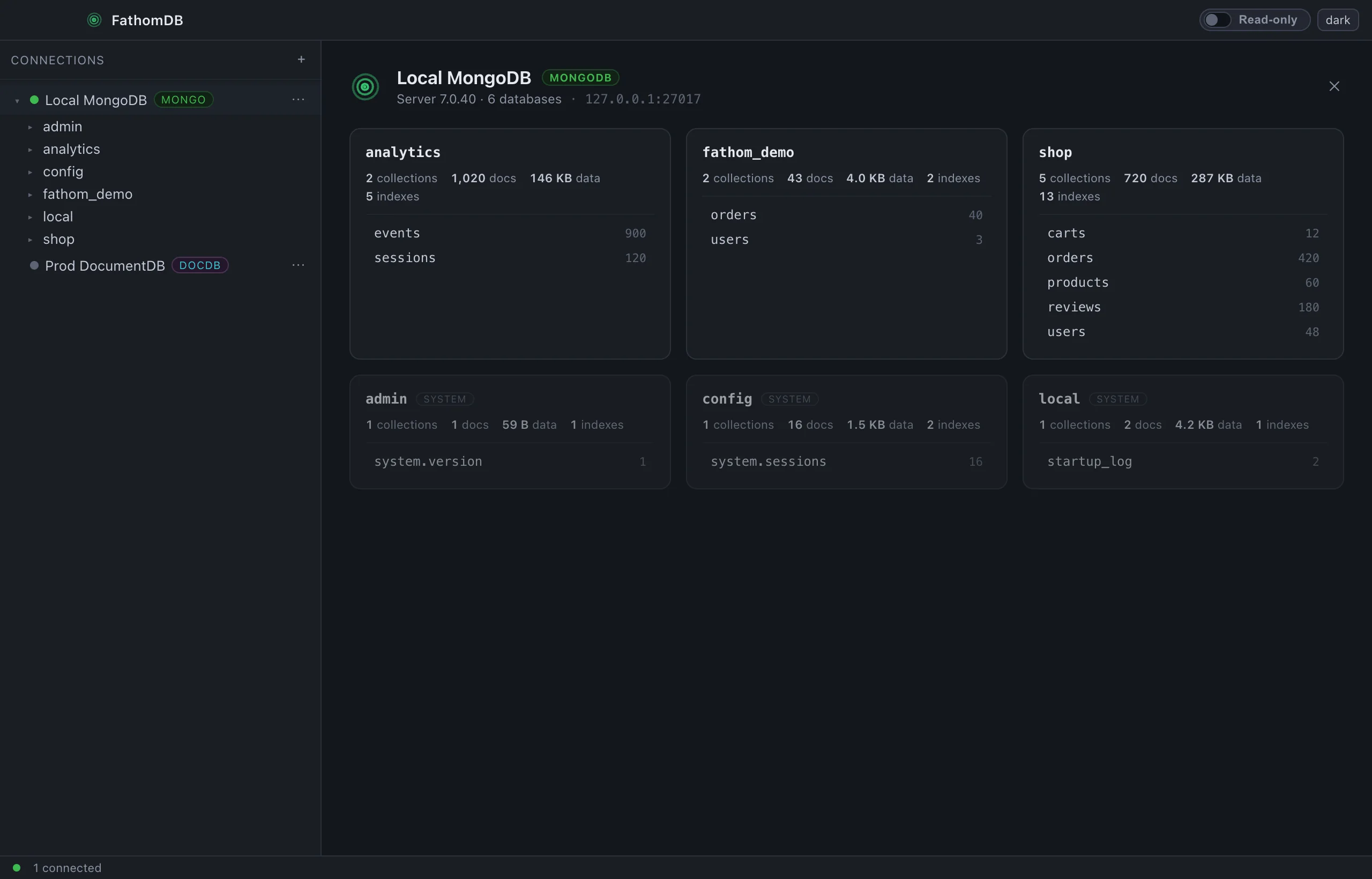
Every document, as it really is.
A document isn't a blob of text. FathomDB reads it as BSON and shows you the types —
an ObjectId is an ObjectId, a Decimal128 keeps its precision,
a date is a date — so what you see on screen is what the database actually holds.
Type-aware, three ways to look
List, raw JSON, or a flattened table — the same documents, however you need to read them.
- Real BSON types — ObjectId, Decimal128, Date, Binary, arrays, nested docs, each labelled
- List · JSON · Table views, expandable arrays and subdocuments
- Insert, edit, duplicate, delete — Extended JSON in, Extended JSON out
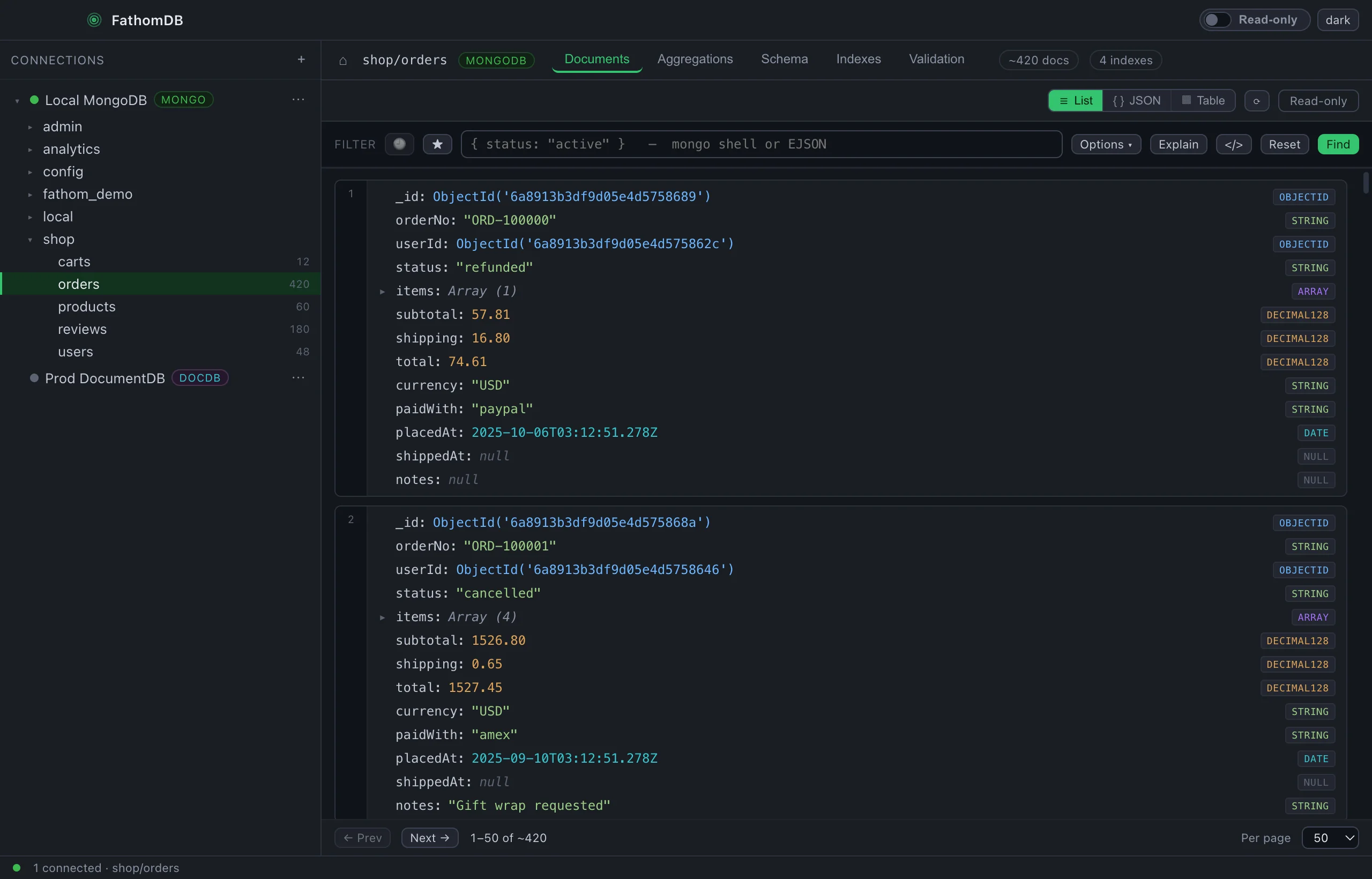
Open a document in full
Click any row to read the whole document, then edit it in place — nothing truncated, nothing guessed.
- Full Extended JSON with nested arrays and objects expanded
- Edit and save a single document without leaving the view
- Copy it out as canonical EJSON, ready to paste anywhere
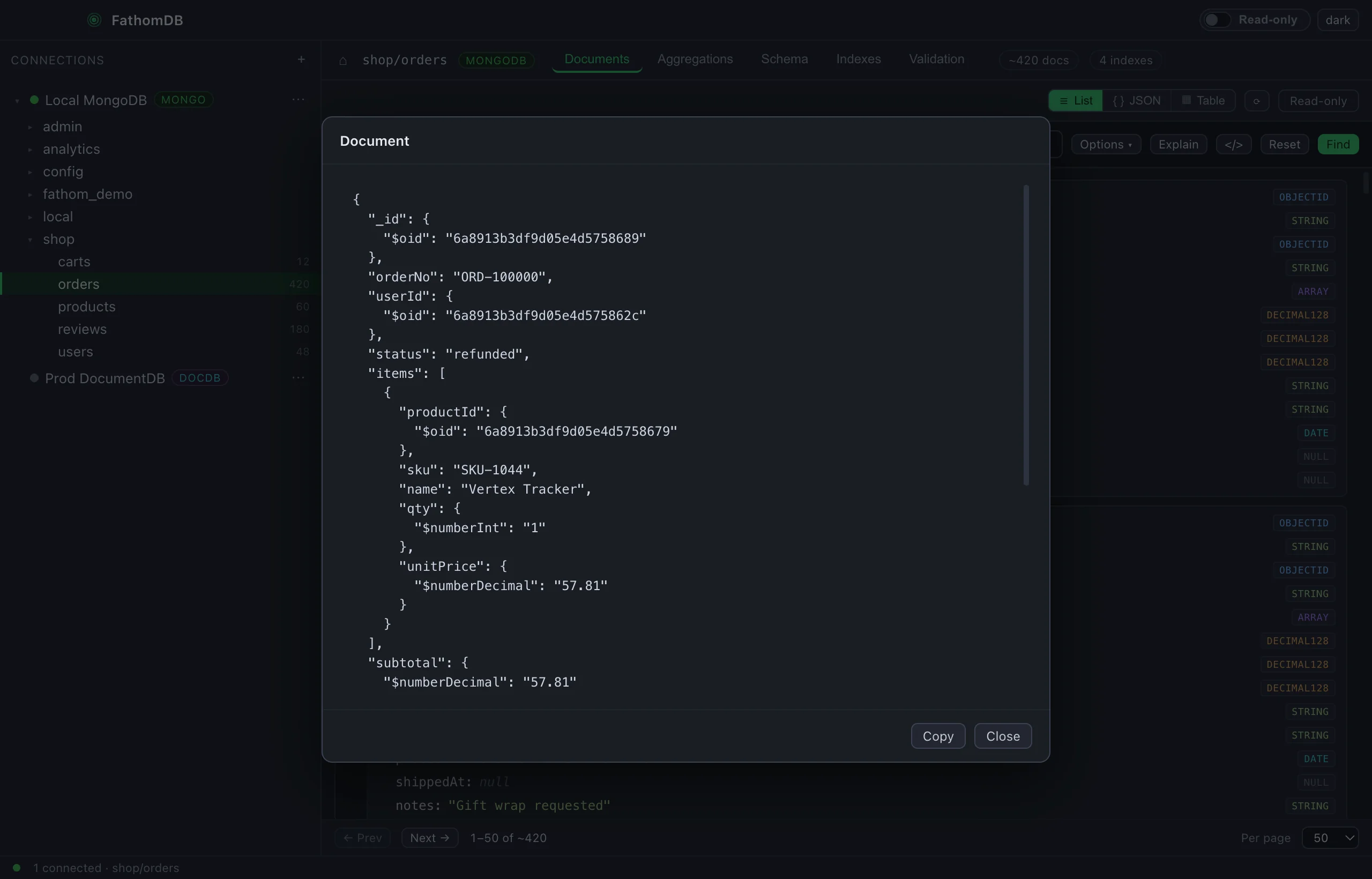
Any MongoDB — local, Atlas, or a replica set.
Paste a connection string or fill in the fields. FathomDB speaks the MongoDB wire protocol, so a Docker container on localhost, a managed Atlas cluster, or a self-hosted replica set all open the same way — and browse identically once connected.
-
Connection string or form
Drop in a
mongodb://ormongodb+srv://URI, or enter host, port, database and auth by hand — whichever you have. -
Auth and TLS
SCRAM username and password with an auth source, and TLS switched on when your server wants it. Connections are saved locally, not to any cloud.
-
Behind a bastion, too
A MongoDB that only answers inside a VPC opens over the same SSH tunnel DocumentDB uses — an alias from your
~/.ssh/config, the rest left blank.
Amazon DocumentDB, without the fight.
A DocumentDB cluster lives in a private VPC, speaks TLS with Amazon's CA, and rejects
retryWrites. FathomDB handles all of it as a connection mode — and tunnels
in through the same bastion you already SSH to, resolving the alias straight from your
~/.ssh/config.
-
TLS & the CA, already bundled
The Amazon RDS combined CA ships inside the app, so a DocumentDB connection is
tls: trueand nothing else — no downloading a.pem, no wiring a path. -
Through your bastion, by alias
Type a host alias and FathomDB reads your SSH config for the user, key and jump — opens a local forward and points the driver at it. Leave the other fields blank.
-
The same app, either engine
Browse, query, aggregate and index a DocumentDB cluster with the exact UI you use for MongoDB.
retryWritesand the replica-set quirks are handled for you.
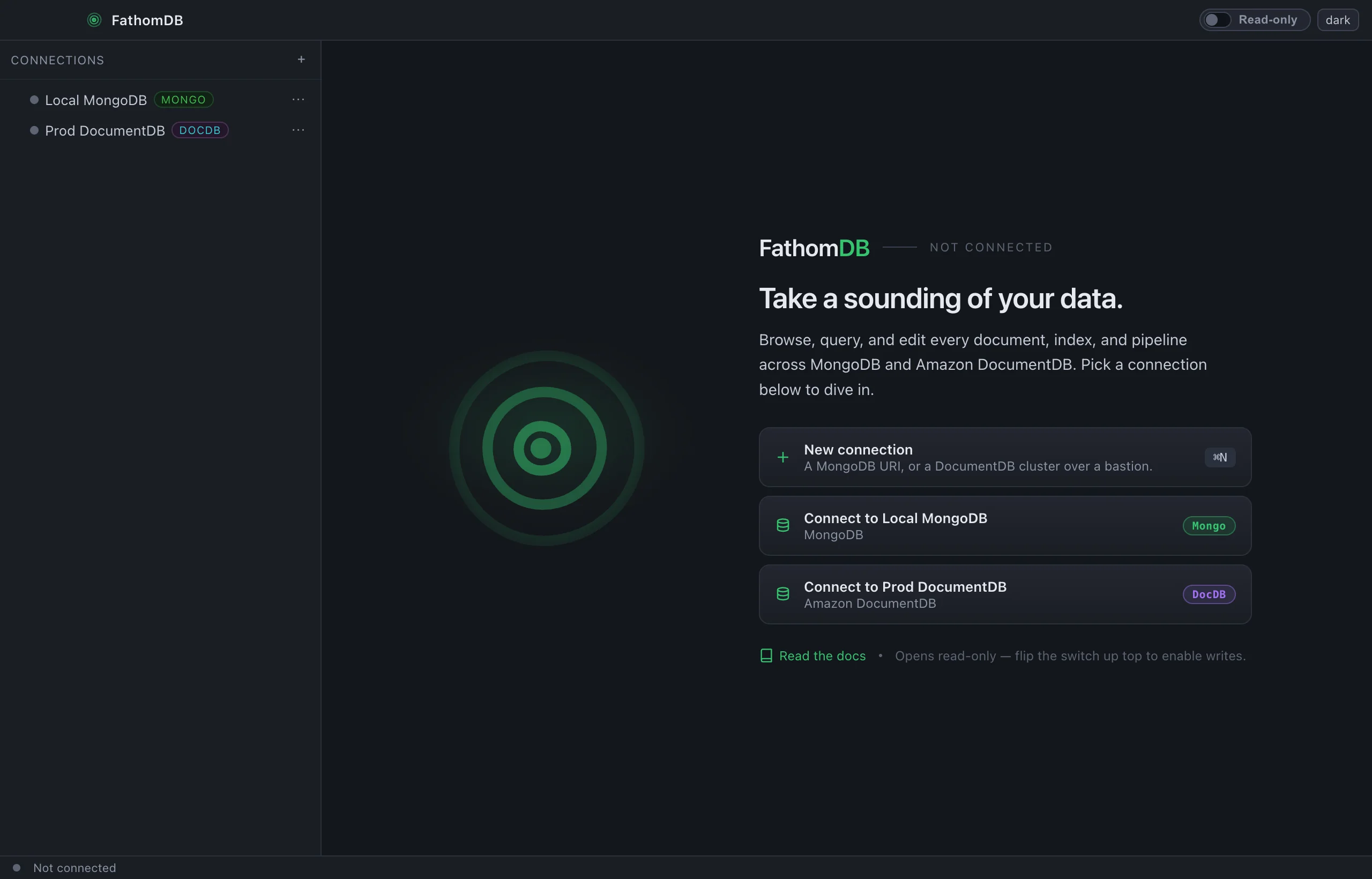
Query in the shell you already speak.
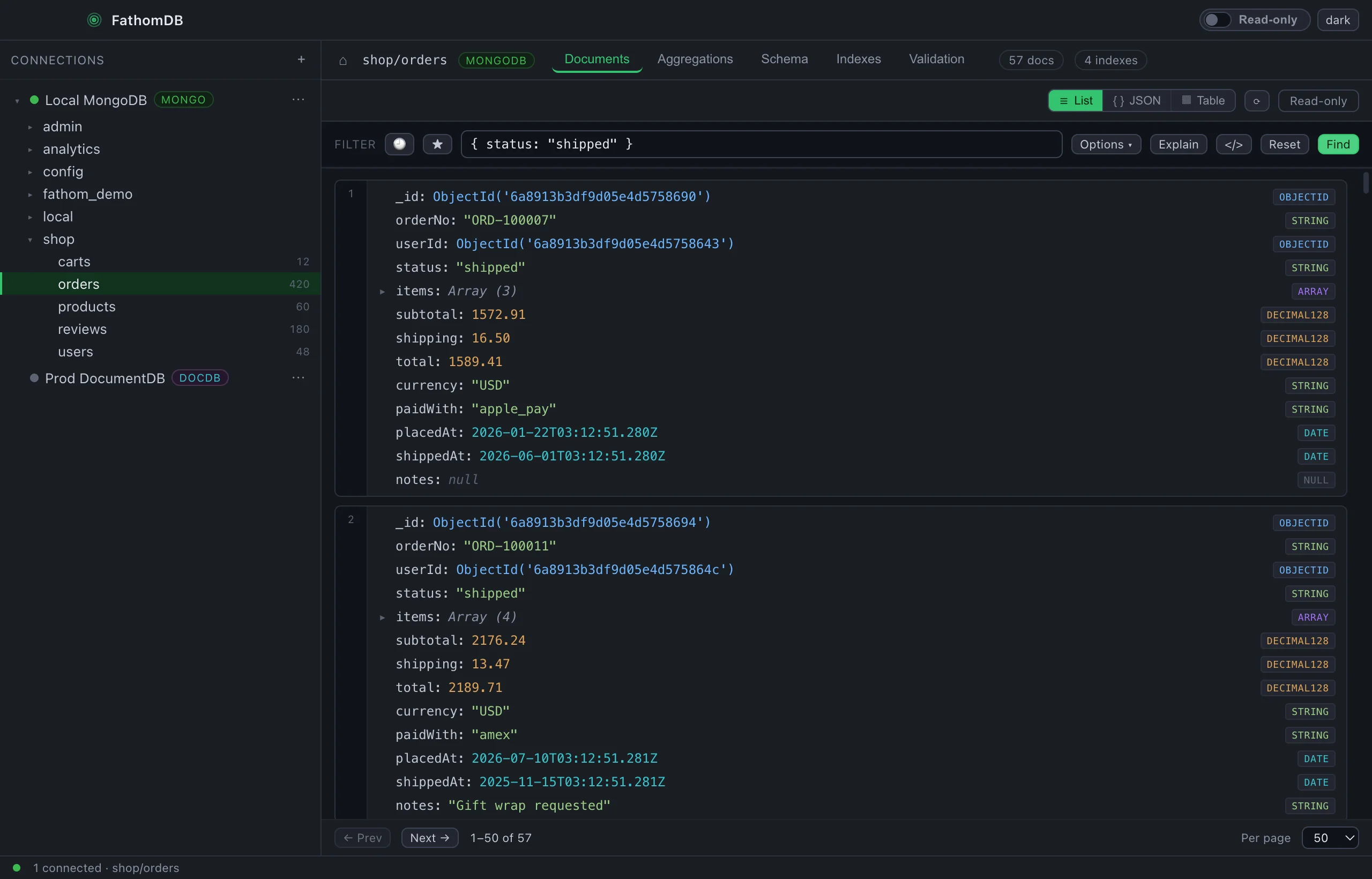
Filters are mongo-shell syntax, not a form — unquoted keys, ObjectId(),
regexes, the lot. Then see the plan the server actually ran, and lift the whole query
out as code in the language you need.
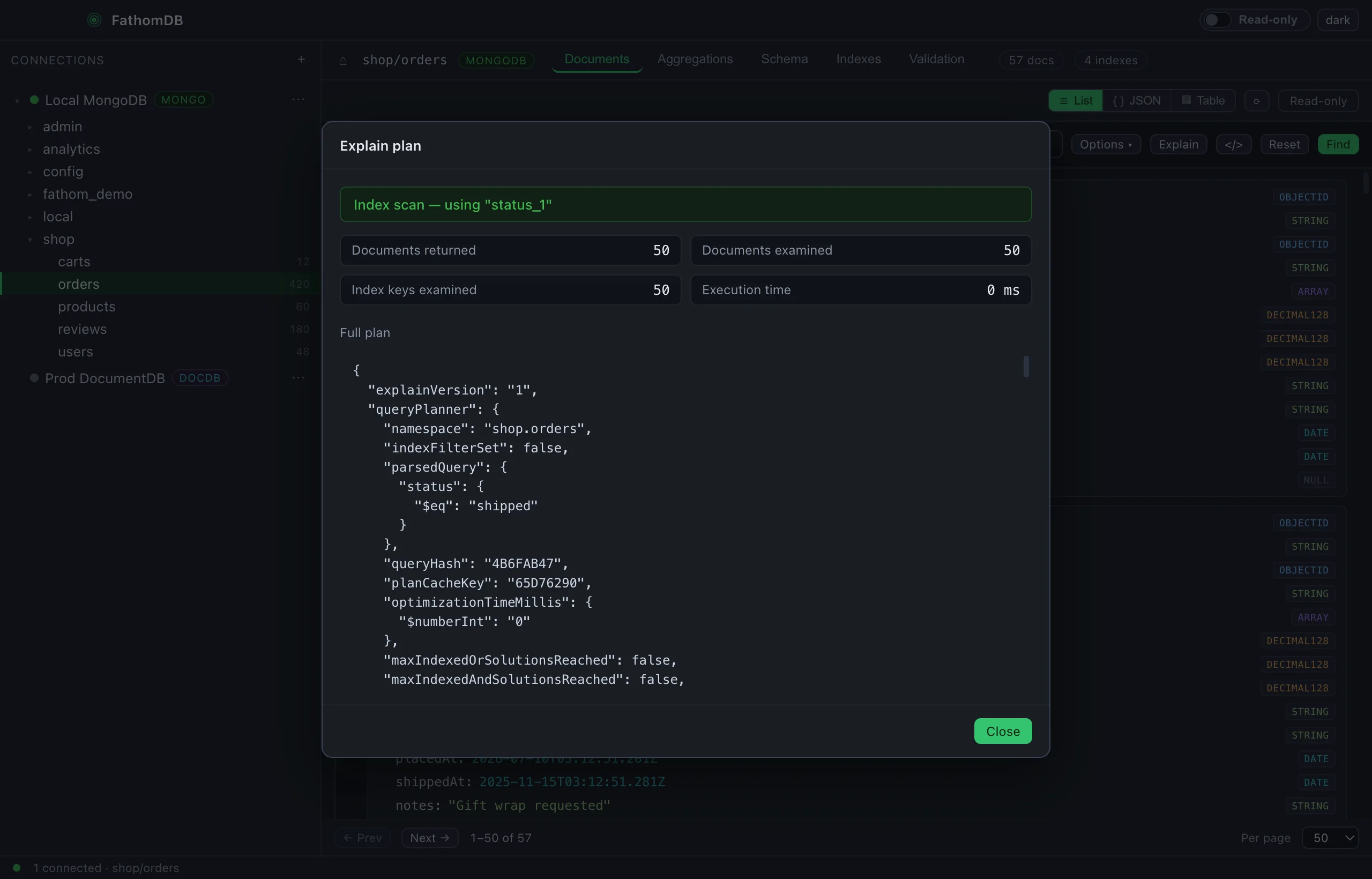
{ status: "shipped" } ran as an index scan on status_1 —
documents returned and examined, keys examined and execution time, with the full
queryPlanner underneath. The difference between a fast query and a slow one,
in plain sight.
-
mongo-shell filters
Type
{ status: "shipped" }or a full find with projection, sort, collation,maxTimeMSand hint. Save the ones you reuse; the last runs stay in history. -
Explain, without ceremony
One click turns any filter into its execution plan — which index answered it, how many documents it had to look at, how long it took.
-
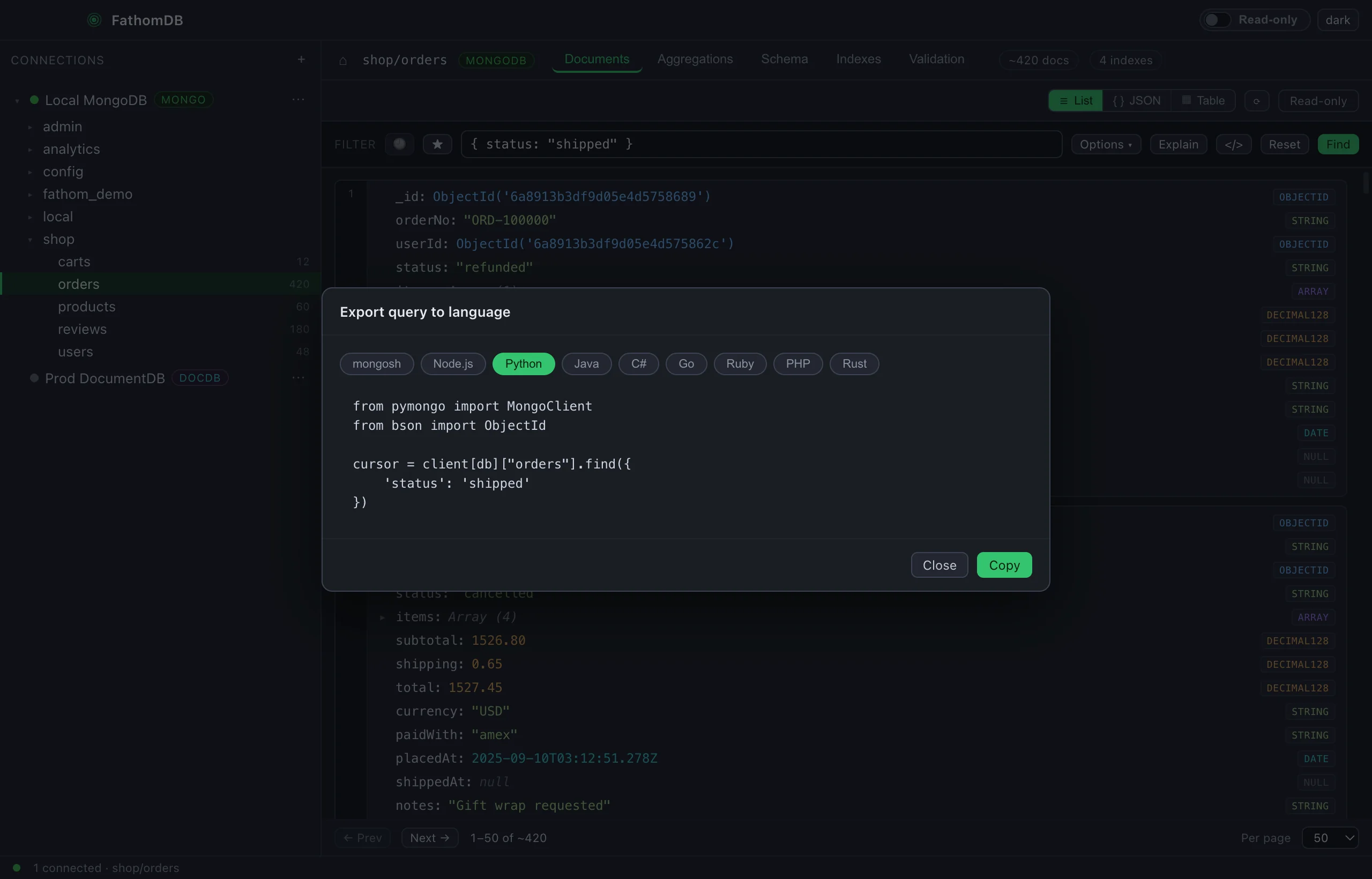
Export to nine languages
Turn the query into mongosh, Node, Python, Java, C#, Go, Ruby, PHP or Rust — ready to paste into the code that will run it for real.
Aggregations, indexes, schema, validation.
A collection is more than its documents. Build a pipeline and see the output, list and reason about the indexes, learn the shape of the data, and read the validation rules — each a tab away, not a second tool.
Aggregation pipelines
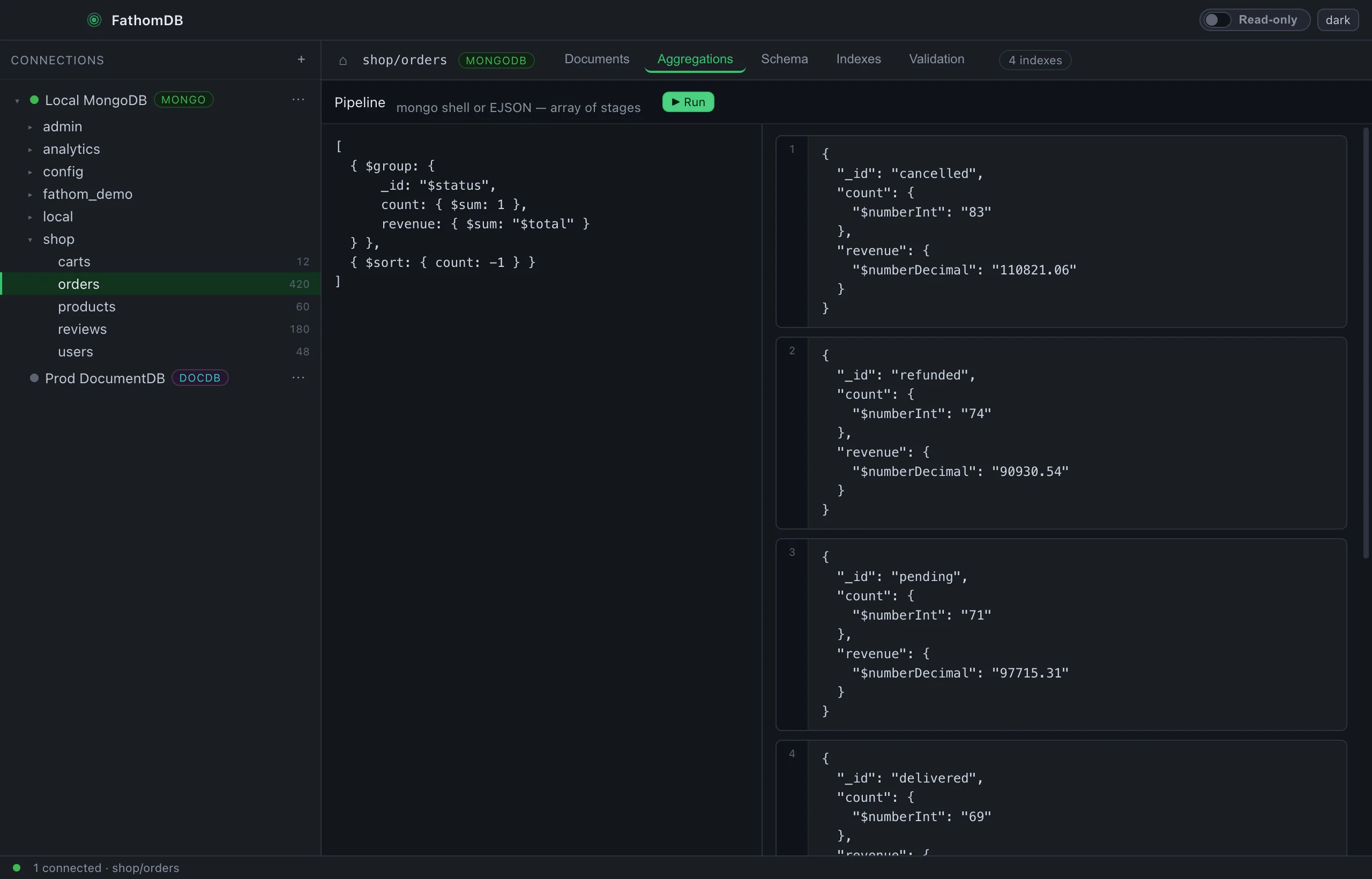
Write a pipeline on the left, read the results on the right — stages formatted, output live.
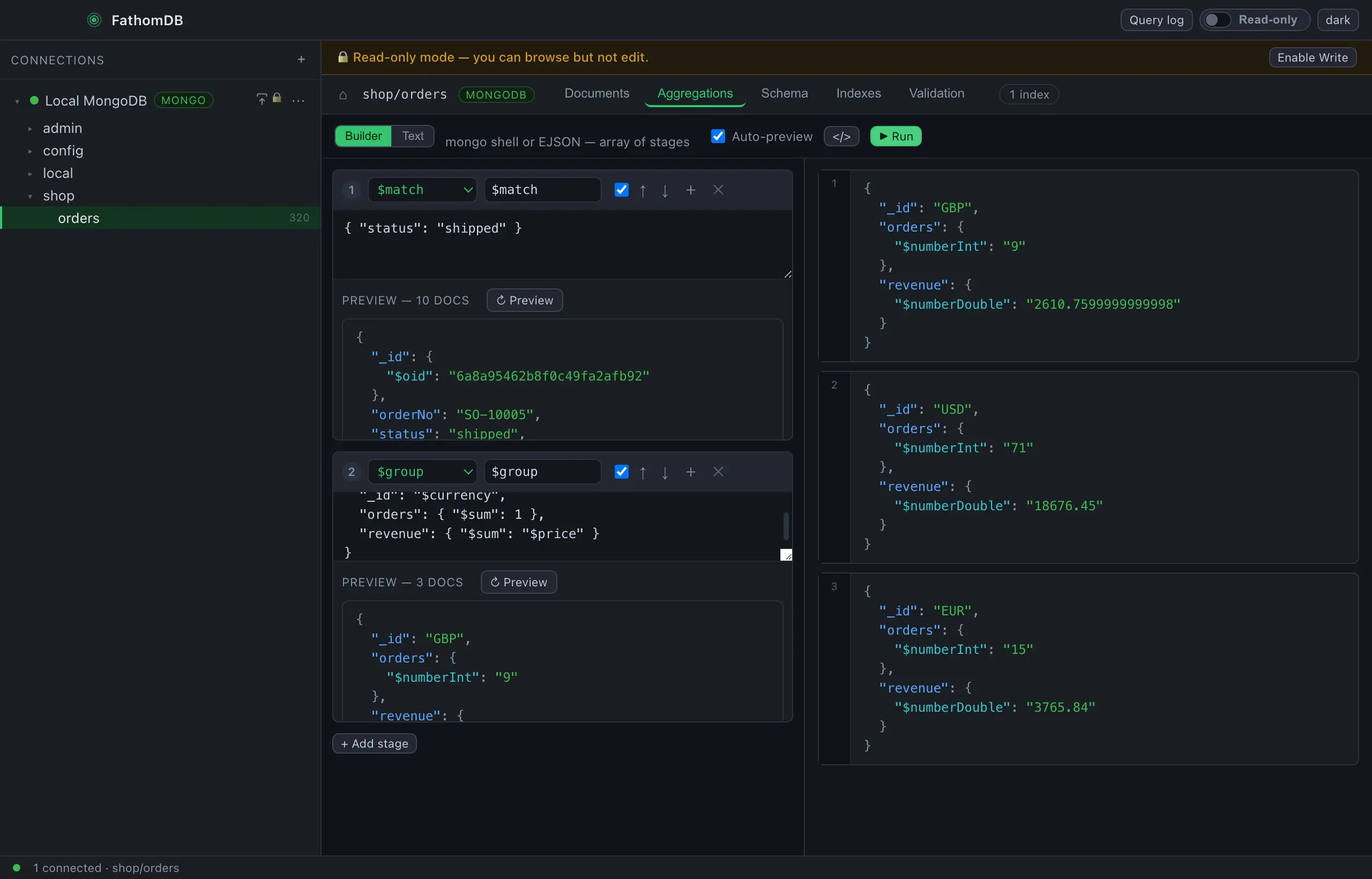
- $group, $match, $sort and the rest, with the output beside the stages
- Revenue per status in a few lines — real numbers, not a mock
Indexes & validation
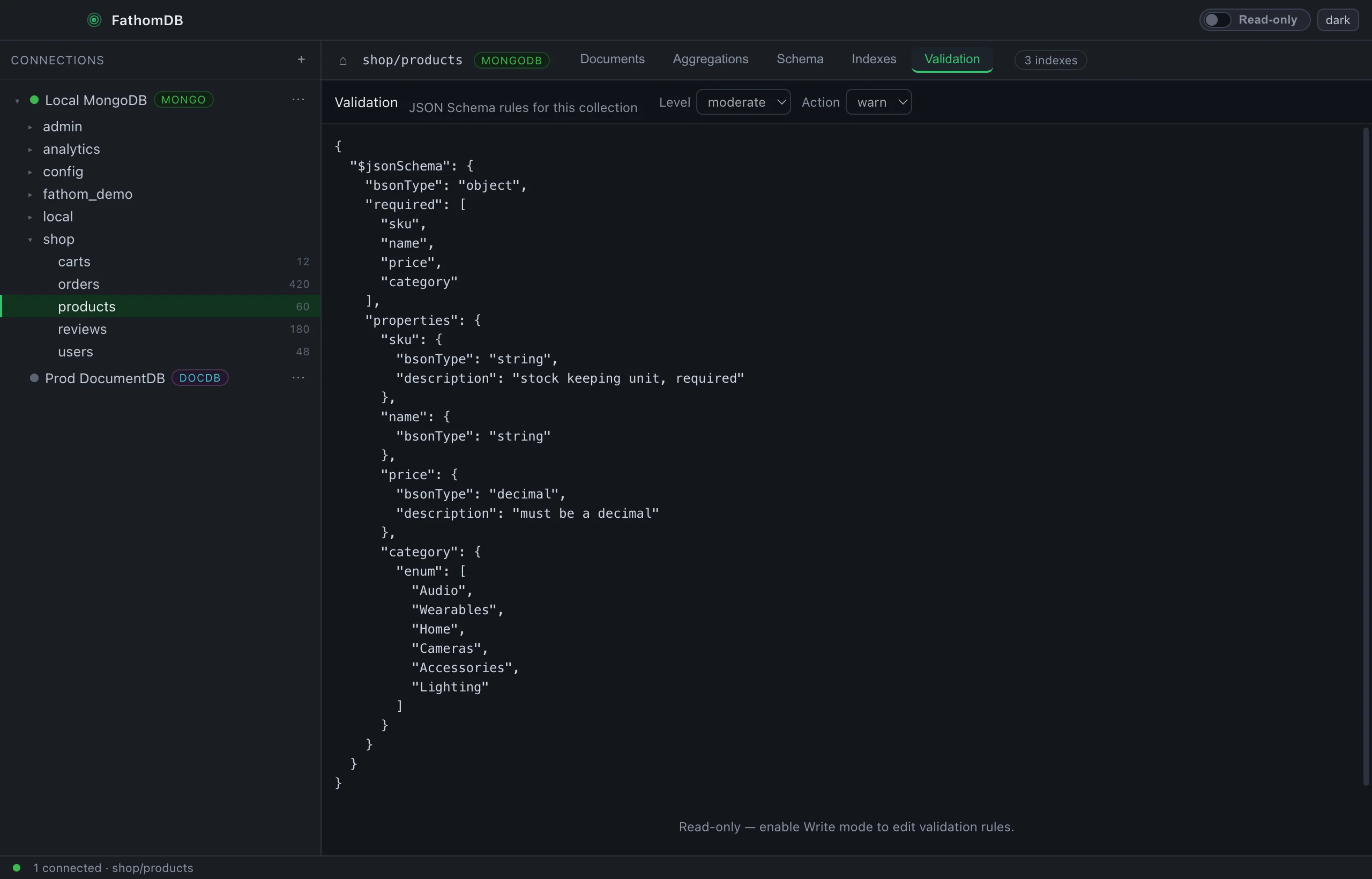
Every index laid out, and the collection's JSON-schema rules where you can actually read them.
- Index list — keys, direction, unique flags, at a glance
- $jsonSchema validators — required fields, types, enums, level and action
- Schema view — inferred field types with their distribution
-
Indexes, listed
Every index on the collection —
_id_, compound keys, unique constraints — with the keys and their direction. -
Schema, inferred
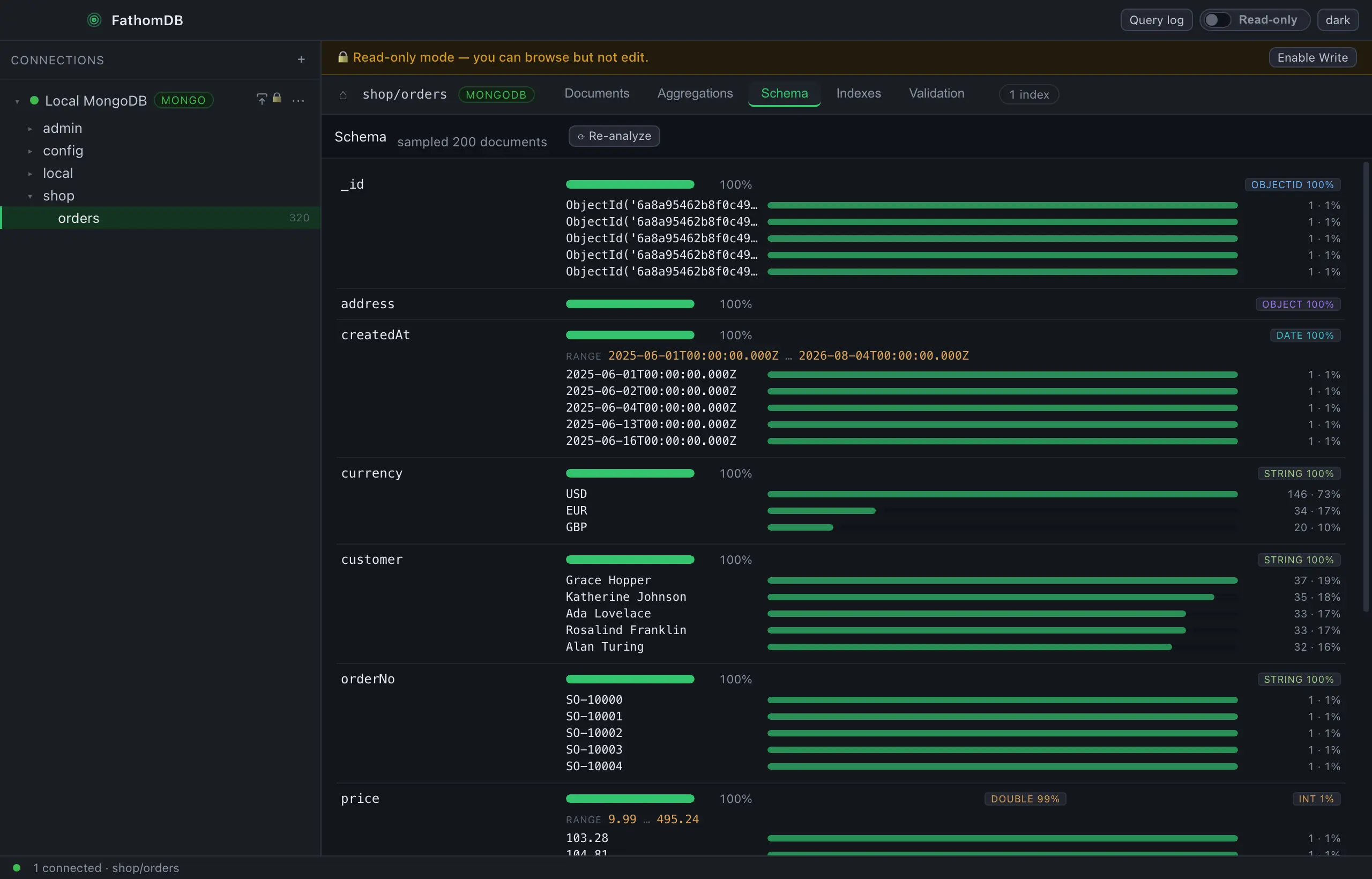
Sample the collection and see each field's types and how often they appear — the real shape, mixed types and nulls included.
-
Validation, editable
Read the
$jsonSchemathe collection enforces, and change the rules withcollMod— gated behind write mode.
Build a pipeline, and watch it take shape.
The Aggregations tab is a full pipeline builder. Stack stages one at a time, see the documents each one emits before you run, and lift the whole pipeline out as code — or drop to raw text whenever you'd rather just type.
Stage by stage, previewed as you go
Add $match, $group, $sort and the rest as cards. Each stage shows the documents flowing out of it, so you catch a mistake at the stage that made it — not ten stages later.
- Builder or Text — a stage-card editor and a raw-pipeline textarea, always in sync
- A live preview under every stage, refreshed as you type
- Run the whole pipeline for the final result, capped so it can't run away
- Export the pipeline to nine languages — mongosh, Node, Python, Java, C#, Go, Ruby, PHP, Rust
Know the shape of your data
Sample a collection and read its real structure — every field, how often it appears, the types it holds, and the range and spread of its values.
- Coverage per field — what fraction of documents actually carry it
- Type breakdown — mixed types, nulls and all, as percentages
- Value distributions — the most common values, each with a bar
- Numeric and date ranges — the min and max present in the sample
Get data in, out, and on the record.
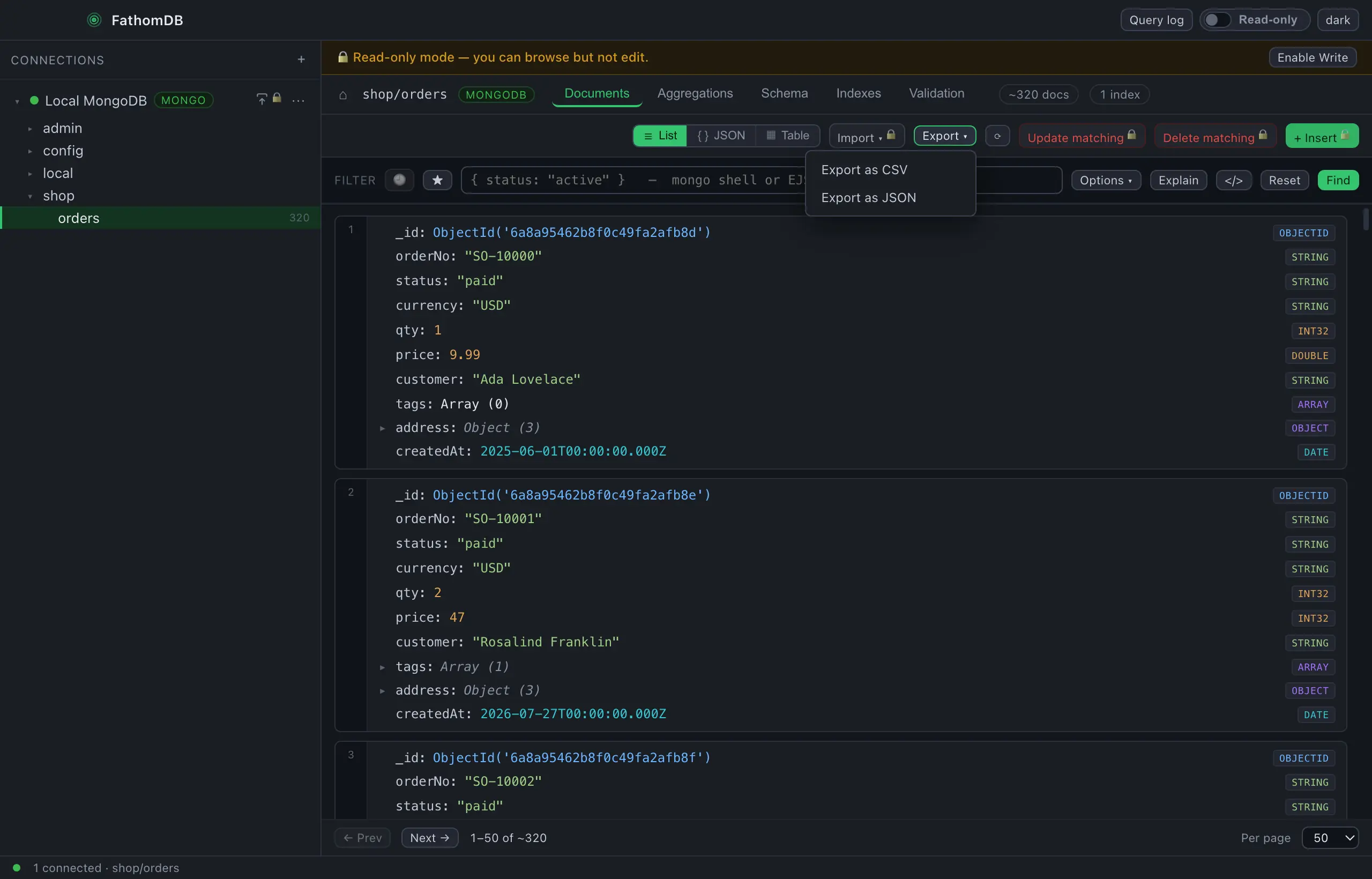
Take a result set to a file, pull a file into a collection, and keep a running log of every query you've run — right alongside the built-in BSON dump and restore.
Export and import, CSV or JSON
Send the current result set to a CSV or JSON file, or load a CSV, JSON or JSONL file straight into a collection — no shell, no separate tool.
- Export the full result of a query to CSV or JSON
- Import CSV, JSON or JSONL into any collection
- Importing writes, so it waits behind the read-only switch
- Beside the BSON tools —
mongodumpandmongorestore, bundled for full dumps
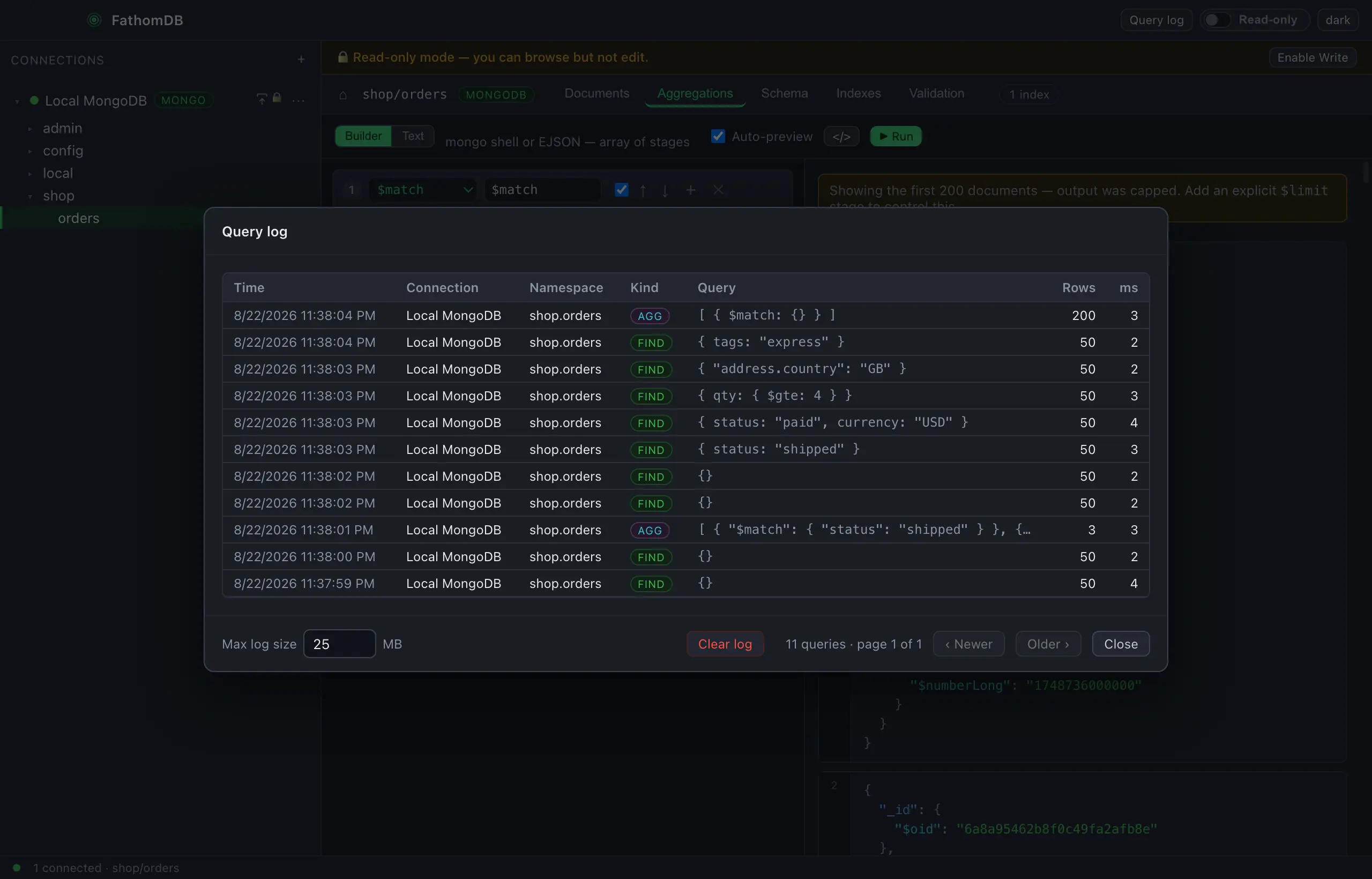
A log of every query
Every find and aggregate you run is written to a persistent, paginated log — re-run any of them with a click, while the querybar keeps your recent and saved queries close by.
- Persistent and paginated — newest first, with timing and row counts
- One click re-runs a logged query in its own collection
- Recent and saved queries live in the querybar dropdown
- Cap the log size, and clear it whenever you like
Dump and restore, built in.
FathomDB bundles mongodump and mongorestore, so exporting a
BSON dump — or restoring one — is a click. No separate MongoDB install to hunt down,
and it works against DocumentDB too.
-
Export a dump
Right-click a database or a single collection and dump it to a folder as standard BSON — the same format the MongoDB tools produce, so it restores anywhere.
-
Import it back
Restore a dump folder into any connection, with an optional drop-first — gated behind write mode, so you can't overwrite by accident.
-
Over your bastion, over TLS
Dump or restore an Amazon DocumentDB cluster through the same SSH tunnel and TLS the app already uses — no exposing the cluster, no copying credentials around.
Read-only until you mean it.
A production browser you can't accidentally write to. FathomDB opens read-only — browse, query, aggregate and explain anything — and every write is refused until you flip the switch in the title bar. It's enforced in the main process, not just hidden in the UI.
-
Off by default
Launch, connect, explore — nothing you do can change a document until you choose to. The safe state is the one you start in.
-
Enforced where it counts
The toggle gates writes in the process that holds the driver, so a disabled button is backed by a real refusal — not a hope that you didn't find another way.
-
Local-first, no account
Your connections live in a file on your disk. No sign-in, no sync, no cloud in the path between you and your database.
Take a sounding of the deep end.
MongoDB and Amazon DocumentDB, browsed properly. Free, no account, on every desktop.
macOS, Windows & Linux on the download page. Opens read-only — flip one switch to write.